






DTA 6
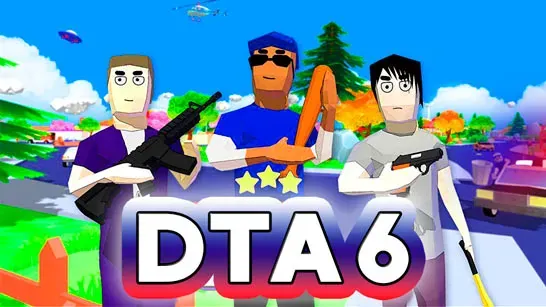
Explore a blocky open-world city as Jack, take on missions, drive stolen vehicles, fight enemies, earn cash, and escape rising police heat.
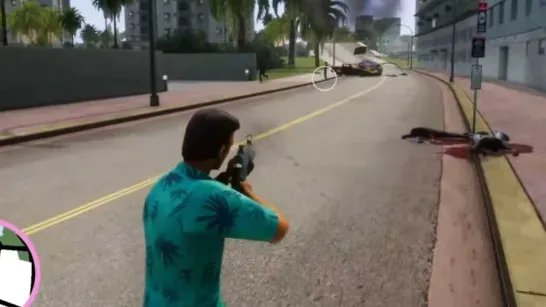
DTA 6 puts you in control of Jack, a gang member exploring a blocky open-world city. Step outside his house, take a vehicle, follow mission markers, or roam the streets looking for activities, shops, hidden areas, and useful shortcuts.
How to Play DTA 6
Missions send you into driving tasks, fights, police chases, and other activities. Complete them to earn money and unlock more of what the city offers. You can also build your balance by collecting cash, robbing stores, defeating enemies, and stealing cars.
Vehicles are useful for both travel and escape. When crimes raise your Wanted Stars, police become faster and more aggressive. Use nitro to create distance, hide in safe areas, or cut through narrow streets instead of taking on a large police fight with weak early weapons.
Jack can switch between weapons such as pistols, shotguns, rifles, and the RPG. Enemies may drop cash when defeated, while weapon shops let you spend your earnings on stronger gear. Press F to slow time during a difficult fight or driving moment, then use the extra time to line up a shot or react to danger.
Your smartphone opens with Q and includes options for saving progress and buying vehicles. You can also save from Jack’s house. Save before dangerous missions or major police battles so a failed attempt doesn’t cost more progress than necessary.
Tips for DTA 6
- Escape early police trouble instead of starting a large fight when your weapons are weak.
- Buy stronger weapons before taking on harder missions and gang fights.
- Save nitro for a clean escape; reckless driving can still crash your vehicle.
- Check side streets and isolated areas for vehicles, shortcuts, and useful discoveries.
Game Controls
- WASD / Arrow Keys - Move and drive
- Mouse - Aim and look around
- Left Click - Shoot
- E - Enter vehicles or interact
- Q - Open the smartphone
- Shift - Use nitro while driving
- F - Activate slow motion
- C - Use the handbrake
- X - Look behind the vehicle
- P - Reload the last save