Mini Crossword
Mini Crossword is a quick and clever 5x5 word puzzle that packs all the fun of a full crossword into a short, brain-boosting challenge — perfect for daily play.
Mini Crossword is one of those rare games that manages to be both quick and surprisingly satisfying. I love it because it gives me that “aha!” moment without taking forever — just five minutes of focused fun that wakes up my brain. Whether you’re into word games or just want a short daily challenge, Mini Crossword is a great pick.
About Mini Crossword
The Mini Crossword takes everything great about traditional crosswords and shrinks it into a bite-sized grid. Don’t be fooled by its size — these puzzles can be tough! Each one challenges your vocabulary, logic, and ability to think fast.
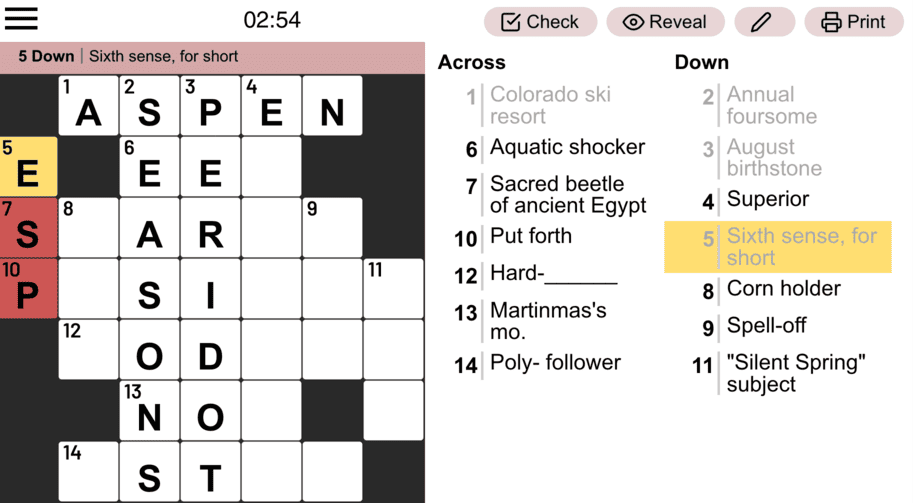
Since it’s playable directly in your browser, you don’t need to download or install anything — just open and play instantly.
How to Play Mini Crossword
Playing Mini Crossword is super simple but still engaging. You’ll see a small grid and a list of clues — some for Across and others for Down. Each clue corresponds to a numbered box on the grid.
Start by reading through all the clues once. Then, go for the easiest ones first — the ones you instantly know. These early answers give you key letters that help unlock tougher words. Each correct answer fills in both horizontally and vertically, creating helpful intersections.
Pay close attention to word lengths and overlapping letters — they often reveal hidden patterns. If you’re unsure about an answer, skip it for now and come back later when other words are filled in. There’s no penalty for trying different words, so experiment until everything fits perfectly.
And remember, the puzzle is complete once every box is filled with the correct word — no blank spaces left. It’s quick, clever, and addictive once you get the hang of it.
Game Controls
Select a Square: Left-click to highlight a box or word.
Type Letters: Use your keyboard to input answers.
Move Between Squares: Arrow keys (up, down, left, right) to navigate the grid.
Erase: Backspace to delete a letter.
Submit/Check: Press Enter (if available) to confirm answers or use in-game options like “Check” or “Reveal” via mouse clicks.
Pick a Square: Just left-click on any square to light it up or grab the whole word.
Type Letters: Use your keyboard keys to type answers.
Erase Letters: Hit backspace to delete a letter you don’t want.
Slide around: Use arrow keys(up, down, left, right) to move between squares.
Check and Submit: Mouse over Check or Reveal buttons for help, press Enter to submit if it’s there.
Tips and Tricks
Want to improve faster and boost your solving streak? Here are some of my best Mini Crossword tips:
- Scan all the clues first. Get a feel for the theme or tone — some puzzles use puns or cultural references.
- Start with the easy ones. Build early momentum and fill in intersections.
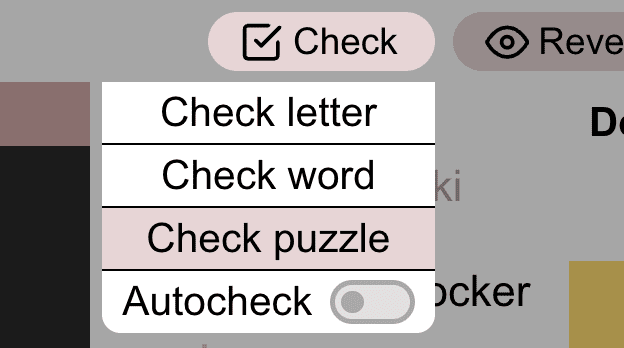
- Check word if you’re stuck. When you are unsure, you could click the Check button on the menu to determine if the current word is correct.
- Use crossing words smartly. Each letter you add helps confirm or eliminate other possible answers.
- Pay attention to plural clues. If the clue ends with “s,” the answer probably does too.
- Watch for short, common words. Words like and, the, are, or one often appear in smaller grids.
These puzzles are small, but they’re great for keeping your brain sharp — it’s like a fun workout for your vocabulary.
Features of Mini Crossword
- A fast and compact 5x5 grid.
- Clever, concise clues that make every puzzle feel rewarding.
- Quick to play — finish one in just a few minutes.
- New daily puzzles and archives to revisit old ones.
- Play directly in your browser — no download or login required.
More Games Like Mini Crossword
If you enjoy Mini Crossword, you’ll definitely want to check out other fast-paced word games like:
They all offer unique twists on wordplay — perfect for anyone who loves short, clever challenges.
FAQ
How long does it take to finish a Mini Crossword?
Usually around 2–5 minutes. It’s designed for quick sessions that still feel satisfying.
Is it easier than a regular crossword?
Not always — the smaller grid means you have less room to guess, so clues can be quite clever.
Do I need to download anything?
Nope! Mini Crossword is playable right in your browser — no installation needed.
Any winning strategies?
Start with easy clues, use intersections wisely, and don’t be afraid to skip and return later. Practice really does make perfect!