




Sandboxels
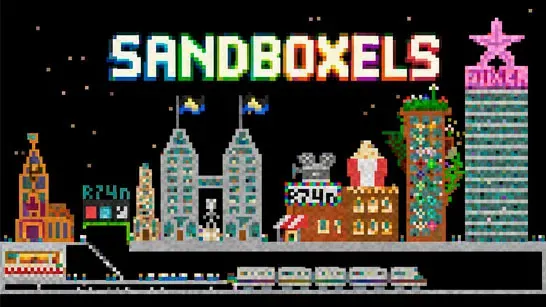
Experiment with hundreds of elements in Sandboxels, where gravity, temperature, chemistry, electricity, and creative tools shape each pixel-based simulation.
About Sandboxels
Sandboxels is a falling-sand simulation where powders, liquids, gases, plants, food, machines, and other elements become the parts of a pixel-based experiment. There is no required objective. Choose materials, place them on the canvas, and watch gravity, temperature, density, conductivity, and chemical properties determine what happens next.
You might build a small ecosystem, cook ingredients, test electrical components, create pixel art, or set off a chain reaction. With hundreds of interactive elements, the main challenge is discovering how different materials behave together.
How to Play Sandboxels
Choose an element from categories such as powders, liquids, gases, life, food, energy, or machines, then click and drag across the canvas to place it. Sand falls into piles, liquids move through open spaces, and fire can spread through combustible materials. Add heat or cold and substances may melt, freeze, evaporate, or burn.
The toolbar lets you change an experiment without clearing it. Heat and Cool adjust temperature, Shock applies electricity, and Mix combines nearby particles. Drag moves existing materials, while Erase removes them and Smash breaks or disturbs applicable materials. Combining natural materials with wires, batteries, heaters, sensors, and other machines can produce more complex systems.
Tips for Sandboxels
Start with a few pixels so you can see how a reaction develops. Separate reactive materials with barriers when you want to contain fire, liquids, gases, or chemicals. To understand a material, change one condition at a time, such as adding heat, cooling it, or introducing water. Layering soil, water, plants, gases, and heat sources can produce more involved simulations than testing each material alone.
Game Controls
- Left click + drag - Place the selected element on the canvas
- Mouse - Choose elements, categories, settings, and tools
- Heat / Cool - Raise or lower pixel temperature
- Shock - Apply electricity
- Mix - Mix nearby particles
- Drag - Move existing materials
- Erase - Remove unwanted pixels
- Smash - Break or disturb applicable materials