





Sandbox City
Explore a zombie-overrun city, drive cars, complete campaign and daily missions, collect cash, fight with varied weapons, and customize your survivor.
About Sandbox City
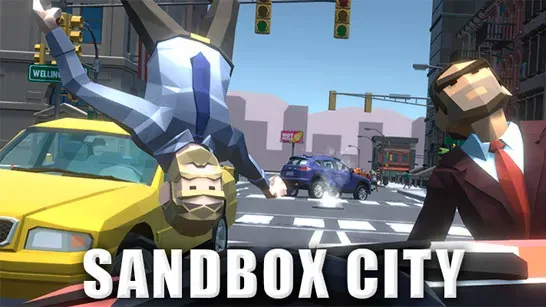
Sandbox City is an open-world sandbox action game set in a city overrun by zombies. You explore on foot or by car, fight with melee weapons, guns, and grenades, and complete missions to earn cash for weapons, ammunition, boosts, accessories, and vehicle customization.
The city also works as a physics playground. Ragdoll effects and slow motion shape the action, while cargo crates, cash pickups, abandoned vehicles, subway stations, and hidden rewards give you reasons to leave the main roads. If you want to explore without combat, the settings include an option to disable zombies.
How to Play Sandbox City
Customize your character or car, then press Play to enter the city. During the opening sequence, the Mission Guy introduces the campaign and points you toward your first objective. Follow the on-screen distance marker to find him and begin earning rewards.
Campaign missions move the story forward, while daily missions reset every 24 hours. Examples include defeating zombies with guns or melee weapons and using the subway. The mission screen also includes a daily reward, and the shop provides free daily ammunition. Cash pickups and broken wooden cargo crates add resources as you explore.
Use the shop to buy weapons such as the Baseball Bat, Tennis Racket, Grenade, MP-40, and Assault Rifle, along with ammunition and temporary boosts. A Speed Boost, Money Pickup Multiplier, or Health Boost lasts two minutes. Drive when you need to cross the city quickly, but get out of the car to collect cash and loot.
Your HUD shows your health, money, and current weapon. Watch your health while zombies are nearby, choose melee weapons for inexpensive daily challenges, and activate a boost before a difficult mission. The subway can shorten travel and also counts toward a daily challenge.
Tips for Sandbox City
- Prioritize campaign missions early because they unlock cash and useful features.
- Claim the daily reward and daily ammunition whenever they are available.
- Break wooden cargo crates for extra pickups.
- Leave your vehicle when you spot cash or loot; driving past it means missing the reward.
- Use melee weapons for the melee daily challenge, which pays more than the listed gun challenge.
Game Controls
- WASD or arrow keys - Move
- Shift - Run
- Space - Jump on foot or use the handbrake while driving
- Left mouse button - Attack; hold to fire guns
- E - Enter or exit vehicles, interact, or buy items
- R - Switch weapons
- C - Change the camera view
- T - Toggle slow motion
- L - Lock or unlock the mouse cursor
- Esc - Pause or quit
FAQ
What is the goal in Sandbox City?
Explore the zombie-overrun city, complete campaign and daily missions, collect cash, and improve your weapons, survivor, and vehicle.
How do you enter or leave a car in Sandbox City?
Walk up to a vehicle and press E. Press E again when you want to get out.
What can you buy in the shop?
The shop sells melee weapons, firearms, grenades, ammunition, temporary boosts, and customization items. You can also access character and car customization there.
Can you explore without zombies?
Yes. The settings include a Disable Zombies option for driving and exploring without zombie encounters.