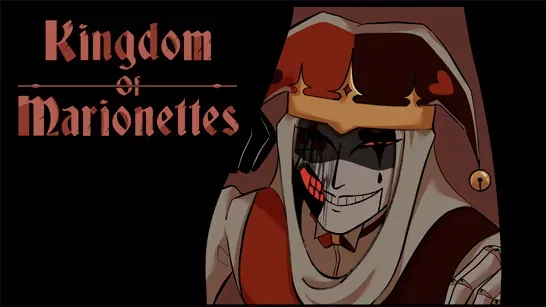








Kingdom Of Marionettes
Explore an abandoned puppet theater as a night guard, read Jestyn’s reactions, and shape Kingdom Of Marionettes through choices and branching endings.
About Kingdom Of Marionettes
Kingdom Of Marionettes is a psychological horror visual novel set inside an abandoned puppet theater. You take the role of a newly hired night guard whose duties include cleaning the theater, protecting the building, and keeping the puppets in place. After dark, the puppets begin to move, and a living jester puppet named Jestyn becomes the center of the theater’s secrets.
The story combines unsettling puppet horror with emotional dialogue, mystery, romance, and psychological tension. Jestyn can appear charming, funny, manipulative, and dangerous, so his behavior and reactions are important clues as the relationship develops.
How to Play Kingdom Of Marionettes
Read the dialogue, investigate events, and interact with characters during the night shifts. This narrative adventure relies on observation and decisions rather than fast reflexes. Your responses affect character relationships and determine how the story unfolds.
The current demo has three endings: Good, Bad, and Secret. Some choices that seem harmless can affect later outcomes, so replaying different paths helps uncover alternate scenes and more of the theater’s hidden story. Watch Jestyn’s movements, expressions, and reactions when a choice appears, and pay attention to subtle clues before selecting a response.
Tips for Kingdom Of Marionettes
Watch Jestyn closely
His movements and expressions can provide clues about his mood and the consequences of your choices.Replay important decisions
Start another run when a choice feels significant to test a different route and look for hidden scenes.Use the audio
The atmospheric sound design can help signal danger during the theater’s quiet night shifts.
Game Controls
- Left Mouse Click - Interact, select a choice, and continue dialogue.
- Enter / Spacebar - Advance dialogue.
- ESC - Open the game menu.