
Challenge Rush
Ride the rhythm and break your limits in Challenge Rush, a precision platformer where one mistake sends you back to the start. Play online free.
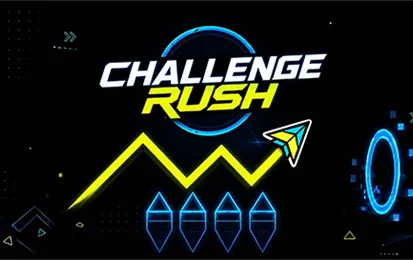
Tap the beat, dodge spikes, and push your reflexes to the limit. In Challenge Rush, every jump and movement must sync with the rhythm-one wrong move resets you to the very beginning. Inspired by the addictive gameplay of rhythm platformers, this game turns each run into a high-stakes test of precision and perseverance.
About Challenge Rush
Challenge Rush is a rhythm platformer where you control dynamic icons-Cube, Ball, UFO, Ship, and Wave-through treacherous, spike-filled levels. The goal is to reach the sparkling light at the end while timing your actions perfectly to the beat. With a built-in level editor, music library, and both Normal and Practice modes, it offers a highly customizable and community-driven experience. Play online free, no download needed.
How to Play Challenge Rush
Your objective is to navigate each level from start to finish without hitting any obstacles. The catch: every collision throws you back to the beginning. Listen closely to the music-timing your jumps and movements in sync with the rhythm is the key to surviving.
The game offers two modes: Normal Mode (high stakes, no checkpoints) and Practice Mode (place your own checkpoints to learn the layout before attempting a full run). As you progress, you’ll switch between different icon forms (Cube, Ball, UFO, Ship, Wave), each with its own movement physics.
Tips for Challenge Rush
- Feel the beat - The rhythm isn’t just background music; it’s your guide. Jump and move in time with the track to clear tricky obstacle patterns.
- Use Practice Mode - Before attempting a perfect run, learn the level’s layout by placing checkpoints where you need them.
- Customize your audio - Upload your own tracks or choose from the music library to change the pace and challenge yourself.
- Watch your icon’s physics - Each form handles differently on slopes and orbs; practice transitions to avoid unexpected resets.
Game Controls
- Left Mouse Button - Click to jump/activate
- Up Arrow Key - Jump
- Spacebar - Jump
All three inputs perform the same action; choose the one that feels most responsive.
FAQ
How do I create my own levels?
Use the built-in Import and Export Level Editors. You can build custom maps with elements like Dash Orbs, Pulse Triggers, Teleports, and background assets, then share them with the community.
Can I save my progress?
Yes. Log in securely to save your stats, track your progression, and pick up where you left off. The private profile also stores your unlocked achievements and favorite community levels.
What controls can I use?
You can jump with the Left Mouse Button, Up Arrow Key, or Spacebar. All three work interchangeably.
Are there different game modes planned?
The game currently offers Normal and Practice modes. Developers are working on Endless Mode and Race Mode to expand the challenge.