Sprunki Challenge
Create music with Sprunki characters in single-player or compete against a friend in 2-player mode. Drag and drop icons, race to 2000 points, and switch between light and dark backgrounds.
Drag a sound icon onto a Sprunki character and watch it come to life with melody. In Sprunki Challenge, you can create music or race a friend to 2000 points.
About Sprunki Challenge
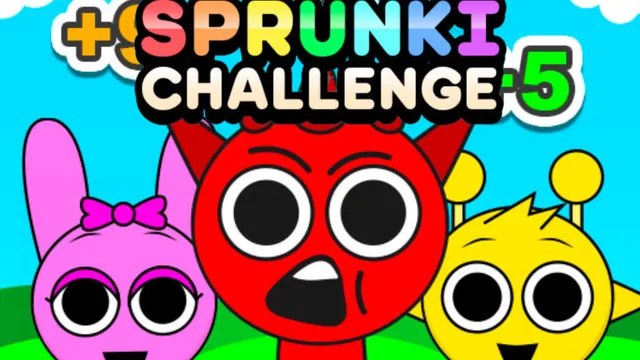
Sprunki Challenge is a creative music game that blends sound mixing with competitive play. Part of the Sprunki universe, it lets you drag and drop icons onto characters to build unique remixes. The game belongs to the music category and features multiplayer and rhythm elements. Play solo to compose freely or challenge a friend in head-to-head mode. With light and dark backgrounds and a horror mode toggle, the experience stays fresh.
How to Play Sprunki Challenge
In single-player, drag music icons from the bottom onto any of the 7 Sprunki characters. Each icon triggers a different sound and animation. Use the headphones, volume, and X icons below each character to mute or adjust them. The black hat icon in the lower right switches to Sprunki Horror mode, which changes the visuals and sounds.
In 2 Player mode, both players take turns dragging icons onto characters. Each character produces a score. Replace low-scoring characters to boost your total. The first player to reach 2000 points wins.
Tips for Sprunki Challenge
- Focus on high-scoring characters in 2-player mode. Swap out characters that generate low points to climb the scoreboard faster.
- Experiment with Horror mode. The dark background and altered sounds can give you a different creative angle during solo play.
Game Controls
- [Mouse Left] - Click and drag icons onto characters
Key Features of Sprunki Challenge
Two-Player Score Race
Compete with a friend to see who can hit 2000 points first. Swapping out characters keeps the strategy tight and the matches lively.
Horror Mode Toggle
Activate a darker visual theme with the black hat icon. The background changes and sounds shift, offering a new atmosphere for your music.
Three Backgrounds
Switch between three different backgrounds in normal and horror mode, keeping the visual presentation varied.
FAQ
How do I switch to Horror mode in Sprunki Challenge?
Click the black hat icon in the lower right corner of the screen. This toggles between normal and horror visuals and sounds.
Can I play Sprunki Challenge with a friend?
Yes, choose the 2 Player option from the entry screen. Both players use the same mouse to take turns, racing to 2000 points.
Is Sprunki Challenge free to play?
Yes, all Sprunki mods on OmiGames are free and can be played offline.