
Block Craft 3D
Craft your own pixel landscape in Block Craft 3D. Mine materials, build houses and gardens, and explore a vast blocky open world for free.
Embark on a brand new creative journey in Block Craft 3D, a sandbox building simulation set in a vast voxel world. Gather resources, shape the landscape, and let your architectural dreams come to life!
About Block Craft 3D
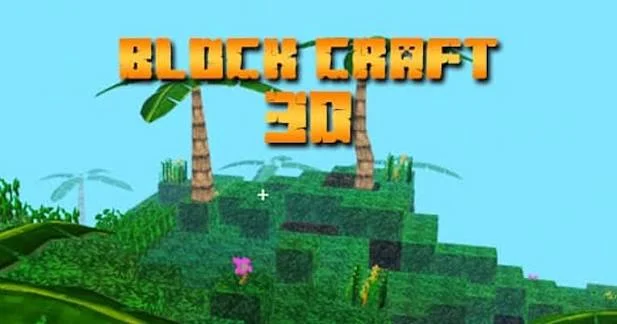
Block Craft 3D is a creative browser building game where players can design and construct their own structures from scratch. In this block sandbox world, you have the freedom to place or destroy individual blocks, shaping the surrounding environment to your exact liking.
Whether you want to build simple cabins, expansive castles, or peaceful flower gardens, the pixelated arena provides the perfect canvas. With satisfying 3D visuals and straightforward crafting rules, it is an accessible and highly relaxing blocky playground for builders of all ages.
How to Play Block Craft 3D
The core gameplay loop of Block Craft 3D centers on exploration, mining, and creative construction. You spawn in an open, customizable terrain. Explore the surroundings to find perfect building spots, then begin placing blocks to assemble houses and structures.
Destroy natural blocks with left-clicks to clear space or harvest space. Open your inventory to switch between different object types, allowing you to build walls, roofs, and paths. Use dedicated shortcuts to plant trees instantly, decorating your custom town to attract visitors and build a stunning pixel kingdom.
Tips for Block Craft 3D
Clear Flat Land First
Spend your first minutes destroying natural hills to create a flat, clean canvas for your houses.Switch Blocks Strategically
Use the inventory selector hotkeys to switch between stone, wood, and brick elements for rich visual depth.Decorate with Trees
Plant trees consistently around your custom cabins to create beautiful, realistic gardens.
Game Controls
- W, A, S, D - Move your builder character
- Left Click - Create or destroy blocks in the world
- C - Plant and create a tree instantly
- Comma (,) and Period (.) - Switch between active inventory block objects
Key Features of Block Craft 3D
Boundless Open Sandbox
Explore and build within an expansive blocky world, offering endless creative freedom to construct anything from small cottages to entire villages.
Simple Trajectory Controls
The intuitive click-and-place building mechanism makes crafting simple for beginners while allowing experienced builders to assemble massive structures.
FAQ
Can I play Block Craft 3D unblocked online?
Yes, Block Craft 3D is unblocked and can be played directly on your desktop web browser for free with no downloads required.
How do I plant a tree in Block Craft 3D?
Simply look at a grass block and press the C key to instantly grow a fully formed blocky tree.
Can I destroy blocks I placed by accident in Block Craft 3D?
Yes, left-clicking any block in the world will instantly destroy and clear it, returning it to flat land.
What blocks are available in Block Craft 3D?
Players can switch between multiple voxel types-including wood, stone, brick, and foliage-to customize their base.