
Obby: Paint My Keyboard
Paint keys to generate coins, unlock vibrant colors, upgrade your speed, and expand rows across a massive keyboard in Obby: Paint My Keyboard.
Walk across giant keyboard rows, coat blank keycaps in bright colors, and turn every finished key into a steady stream of income in Obby: Paint My Keyboard.
About Obby: Paint My Keyboard
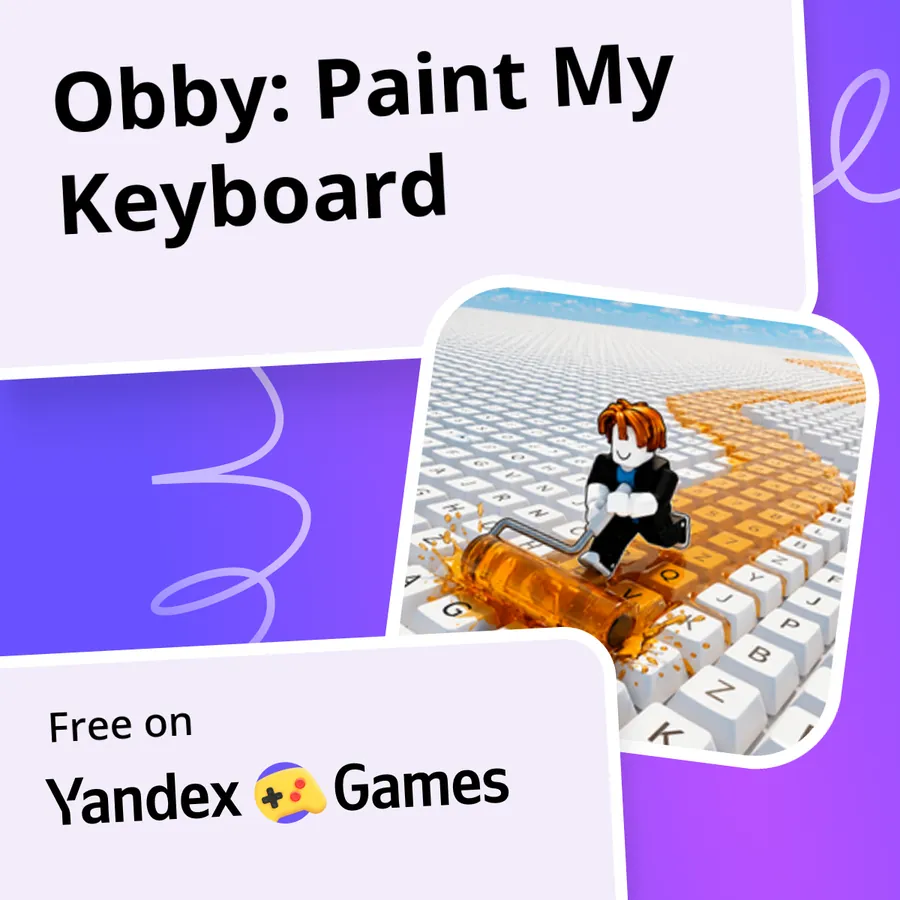
Obby: Paint My Keyboard is a casual arcade simulation game where you build a colorful keyboard from scratch. You navigate the board from a third-person view, find unpainted keycaps, and color them completely to activate coin production. Painted keys continuously generate money, letting you reinvest your balance into better gear, new paint palettes, and larger keyboard sections.
The game balances steady exploration with an incremental upgrade loop. Starting out with basic paints, you work your way up to vibrant neon shades and premium coatings that yield higher income per key. As you fill out every available spot, you can unlock entirely new rows and expand your workstation into a sprawling mechanical board.
How to Play Obby: Paint My Keyboard
Your primary objective is to paint every available key on the board and reinvest the profits into better tools and expansion modules.
- Paint Keys: Move your avatar across the keyboard and approach uncolored keys. Stay on a key until the paint covers it completely.
- Collect Coins: Once painted, keys automatically produce coins over time. Monitor your total coin balance at the top of the screen.
- Visit the Shop: Spend your accrued coins to unlock advanced paint colors. Pricier shades increase the coin profit each painted key delivers.
- Upgrade Tools: Purchase upgrades to raise your painting speed and work efficiency so you can paint faster and cover more keys at once.
- Expand the Keyboard: When you run out of blank keys, purchase a keyboard expansion to generate fresh rows and sections.
Tips for Obby: Paint My Keyboard
- Prioritize Speed Upgrades Early: Boosting painting speed lets you finish individual keys rapidly and accelerates your coin accumulation.
- Invest in Better Paints: High-tier paint colors raise the continuous coin generation of each key, providing bigger returns for future rows.
- Save for Expansions: When you finish painting an entire section, save up for the next board expansion right away to avoid downtime.
Game Controls
- WASD or Arrow Keys - Move character
- Mouse - Rotate camera and aim at keys
More Games Like Obby: Paint My Keyboard
- Speed Run 3D - Focuses on high-speed reflex tests and dodging obstacles in a glowing tunnel rather than gradual painting and upgrades.
- Jelly Run 2048 - Challenges your spatial planning with timed block-sliding grid puzzles instead of third-person keyboard coloring.
- Toca World: My Pets - Offers a relaxed open-ended pet care experience with terrariums and aquariums rather than coin generation loops.
FAQ
How do painted keys generate coins in Obby: Paint My Keyboard?
After you coat an unpainted key completely, it automatically generates coins over time, adding to the balance displayed at the top of your screen.
What do new paint colors do?
Beyond changing the appearance of your keyboard, more expensive paints and neon shades increase the coin profit generated by each painted key.
When should you expand your keyboard?
Once you finish painting all currently accessible keys, visit the shop to buy a keyboard expansion, which adds new rows and sections to color.