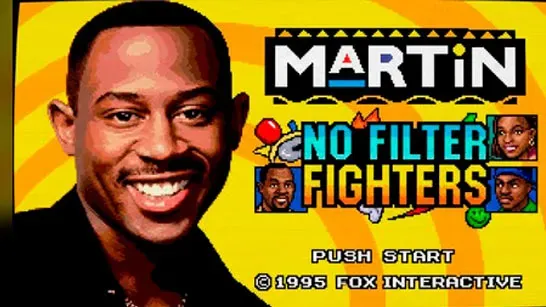



Martin: No Filter Fighters
Martin: No Filter Fighters is a 2D arcade fighter with 11 fighters, one-use sidekicks, signature supers, and stage breaks through walls, floors, and ceilings.
Martin: No Filter Fighters is an unofficial 2D arcade fighting game based on the sitcom Martin. Choose a fighter, pick a sidekick, and face an opponent across arenas that can break open during the match. The roster has 11 fighters, while each sidekick can be called in once.
How to Play Martin: No Filter Fighters
Pick a fighter and a sidekick before the match begins. No character can appear twice on the same team, so the second selection changes the tools available to you. Sidekicks are assists rather than replacement fighters, and each one can be used only once per game.
The game includes Story, Arcade, Versus, Training, and CPU Showcase modes. Story uses character-specific chapters, while Arcade sends you through a sequence of CPU opponents with the difficulty set before the run. Training removes health pressure so you can practice inputs, and CPU Showcase lets you watch two computer-controlled fighters before choosing a character.
The nine arenas include Martin’s Apartment, Club GTD, Sheneneh’s Salon, Dragonfly’s Dojo, The Playa’s Ball, The Fifth Flo’, and The Corporate Party. Stage breaks are a major part of a match: breakable walls move the fight into another arena, while an uppercut through the ceiling or a slam through the floor triggers a vertical transition. Look for these openings when you need to change the position of the fight.
Each character has signature attacks tied to the show’s characters and jokes. Martin uses Mic Drop, Varnell Hill has Catfish Cannon, and Dragonfly Jones can call in “KG, ATTACK!”. Supers use two keys rather than motion inputs, so Training is a useful place to learn them before starting Arcade.
Game Controls
Click inside the game window once before using the keyboard. The game canvas needs focus to receive input. Local Versus uses separate control sets on one keyboard, and online Versus uses a room code shared with another player.
Player 1
- Move with W, A, S, and D.
- Use F, G, V, and B for normal strikes.
- Press H for a special attack.
- Press T or Y for super finishers.
- Press C for the sidekick assist.
- Press R to defend or guard.
- Press E to taunt or reset.
- Press Esc to open the pause menu.
Player 2
- Move with the arrow keys.
- Use J, K, M, and comma for normal strikes.
- Press L for a special attack.
- Press I or O for super finishers.
- Press period for the sidekick assist.
- Press Right Shift to defend or guard.
- Press P or Enter to taunt or reset.
For a first run, use Training to test a fighter’s specials and sidekick timing, then try Arcade once the two-key super inputs feel familiar. During a match, save the assist for a momentum change or a combo extension, and watch for wall, floor, and ceiling breaks when an opponent is in position.