

Geometry Dash The Nightmare
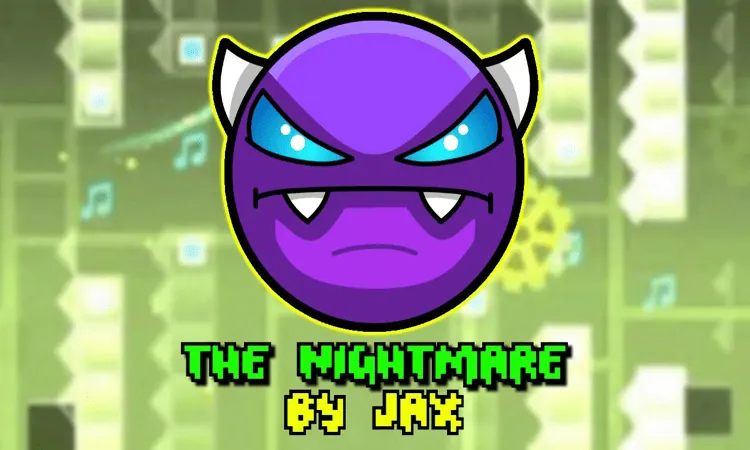
Geometry Dash The Nightmare combines beat-synced jumps, ship tunnels, ball gravity flips, portals, pads, and readable spike patterns.
Geometry Dash The Nightmare is a rhythm-focused stage where you guide an icon through spikes, blocks, portals, and launch pads while following the beat of “Polargeist.” The run shifts between cube, ship, and ball forms, so success depends on precise taps and quick adjustments as the level changes.
How to Play Geometry Dash The Nightmare
Your goal is to reach the end without colliding with a spike, block, or other hazard. In cube form, judge the distance to sharp spikes and tall steps, then tap air orbs to keep your momentum through chained jumps. Portals can change gravity, while pads launch the icon into the next section.
Ship sections use a different rhythm: tap to rise and release to drop. Short inputs help you stay centered through narrow spike tunnels. In ball form, each tap flips gravity between the floor and ceiling. Watch for platform changes and trigger the flip slightly before you need to land.
The stage’s hazards are readable, but tight gaps punish early or buffered inputs. A difficult section appears around the transition to the blue gravity portal, where spikes close in from below and above. Another demanding passage follows a yellow bounce pad near the early part of the stage, while the final stretch can still punish premature clicks.
Practice and Timing Tips
Use Practice Mode to place checkpoints before difficult ship tunnels and ball sequences. Repeat each section until the transitions feel consistent, then try a full Practice Mode run to memorize the gravity portals before switching to Normal Mode.
Let the music guide your timing. Key jumps and ship movements follow the beat, so clear audio can help you identify when to tap. In spike-heavy ship passages, use brief, steady inputs instead of holding the button; the supplied guidance recommends keeping a hold under half a second.
If repeated attempts near the finish start to disrupt your timing, take a short break before trying again. The last section sits around the 85%-95% range, where a premature click can end an otherwise successful run.
Game Controls
- Space, Up Arrow, or Left Click - Jump and fly
FAQ
What forms appear in Geometry Dash The Nightmare?
The stage switches between cube, ship, and ball forms. Cube sections focus on jumps and air orbs, ship sections require controlled rising and falling, and ball sections flip gravity with each tap.
How does the ball form work?
Each tap changes gravity between the floor and ceiling. Anticipate platform changes and flip slightly before the landing point.
Which mode should you use for practice?
Start with Practice Mode. Place checkpoints before ship tunnels and ball sequences, then complete full Practice Mode runs to learn the gravity portals and transitions before attempting Normal Mode.