Obby: Merge a Nuke!
Combine matching rockets, build passive Cash income, upgrade your base, and launch powerful nukes at rival plots in this multiplayer tycoon game.
About Obby: Merge a Nuke!
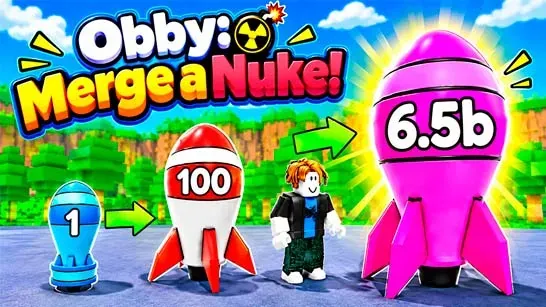
Obby: Merge a Nuke! is a 3D multiplayer tycoon game where you build a rocket arsenal on a shared island. Combine two rockets of the same tier to create a stronger nuke, then use your growing arsenal to generate Cash and fund more upgrades.
Rival bases are part of the same arena, so your economy and attacks are connected. Launch your strongest nukes at nearby plots to deal damage and earn attack rewards, but watch your own earnings too. Other players can target your base, and the Lock Base button activates a protective forcefield when you need to defend valuable Cash.
How to Play Obby: Merge a Nuke!
Start with Tier 1 rockets on your launchpad and merge matching models whenever they appear. Higher-tier nukes generate more Cash, while upgrades help you develop your base and continue building your arsenal. Clear weaker rockets regularly so they do not crowd your available space.
Once your income is established, choose when to raid. The Launch and Drop triggers send missiles toward rival plots, and successful attacks can provide extra Cash. Spend earnings on useful upgrades, strengthen your income before committing to attacks, and save stronger nukes for raids with worthwhile rewards.
Your base can be locked while you protect accumulated earnings. The game also includes timed Quests that can reward extra Cash and temporary auto-launch boosts. Rebirth resets base progress for stronger long-term growth, including permanent income multipliers such as 1.5x and 3x. Character outfits, face masks, and wearable wings are available through the Skins menu, while damage leaderboards show the most destructive players in the arena.
Game Controls
- WASD or Arrow Keys - Move around your base and the arena.
- Spacebar - Jump over obstacles and terrain gaps.
- Left Mouse Button - Interact with rockets, objects, upgrades, and buttons.
- Right Mouse Button - Rotate the camera around your character.
- Mouse - Control the view and select options.