




Minedash
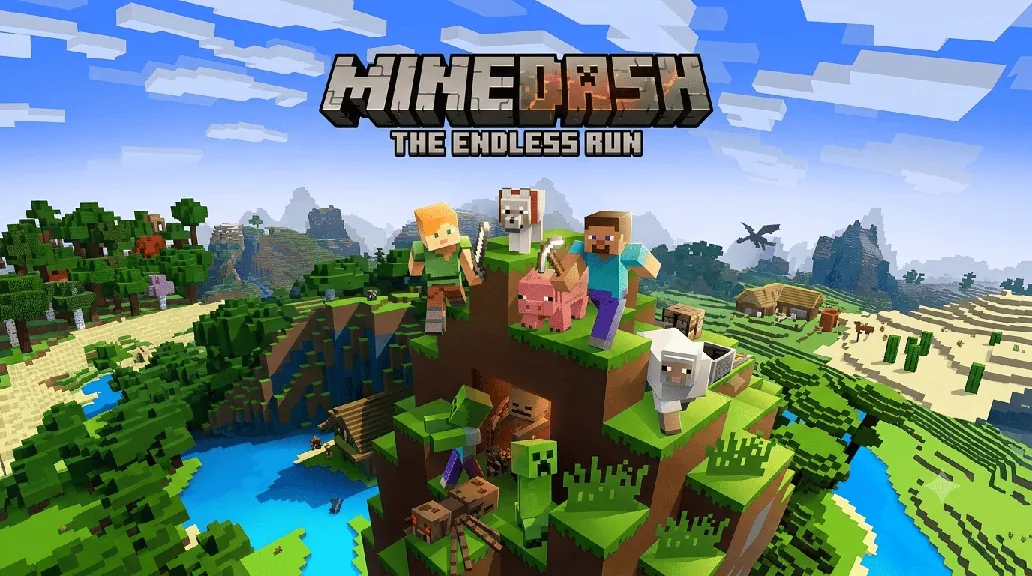
Minedash is a browser sandbox game with 32 block types, peaceful exploration, and no survival limits. Break terrain, place blocks, and build freely.
Minedash is a browser-based sandbox game focused on creative construction and open-world exploration. There are no hunger bars, health bars, crafting recipes, mining tiers, or hostile mobs. Blocks break instantly, so you can reshape terrain and focus entirely on building.
About Minedash
The game gives you a landscape of grass, dirt, stone, sand, and water, then lets you rebuild it however you like. A palette of 32 block types covers structural materials such as wood, cobblestone, glass, and brick, natural elements like saplings and mushrooms, and sixteen colored wool blocks for decorative work. Sponges absorb surrounding water, which makes underwater construction practical rather than tedious.
You can set the world size to small, normal, or huge before you start. Within that space, the game supports houses, towers, pixel art, mazes, or anything else the block set allows. There is no objective to complete and no failure condition to avoid.
How to Play Minedash
Move through the world in first-person view using WASD or the arrow keys. The mouse controls where you look. Left-click breaks the block you’re targeting; right-click places whichever block is currently selected. Press B to open the building palette and pick a different block type. Spacebar jumps across gaps or up onto blocks.
Press R to return to the spawn point if you get turned around in a large world. G spawns passive human mobs, and T opens text chat. Esc pauses the game or releases mouse control.
Tips for Minedash
Use sponges near water
Placing a sponge clears surrounding water blocks, opening up space for underwater structures without manual draining.Set world size before you start
Choosing a huge world gives you more room to spread out, while a small world keeps builds compact and easier to navigate.Sixteen wool colors for pixel art
The colored wool blocks are the most versatile decorative option in the palette; plan your design on a flat surface before scaling it up.
Game Controls
- WASD / Arrow Keys - Move
- Mouse - Look (first-person)
- Left Mouse Button - Break block
- Right Mouse Button - Place block
- Spacebar - Jump
- B - Open building palette
- R - Return to spawn
- G - Spawn passive mobs
- T - Open text chat
- Esc - Pause / release mouse
More Games Like Minedash
If you want a different kind of open-ended challenge, Electron Dash keeps you moving through a 3D neon tube where dodging holes and lasers replaces creative building. Jump Only strips things back further: 49 levels, two jump directions, and nothing else between you and the finish. For something slower-paced, Cozy Golf has you dragging to aim and timing your release across 27 handcrafted holes, earning stars to unlock new courses. Powerline io goes multiplayer, putting you in a snake-style arena where growing your neon line and cutting off rivals is the whole game.