






Can You Land?
Guide an Airbus A320 through crosswinds, poor visibility, and short runways. Control the final approach, land safely, and earn up to 100 points.
About Can You Land?
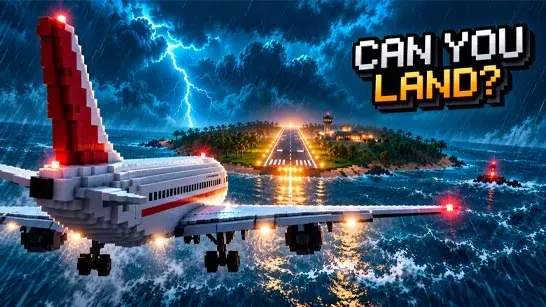
Can You Land? is a 3D airplane landing simulation game focused on the final approach. You control the aircraft without autopilot, adjusting its pitch, roll, descent, and landing gear as crosswinds, poor visibility, turbulence, and short runways make each touchdown harder.
You start with an Airbus A320 and earn coins from successful landings. Use them to unlock aircraft such as the Boeing 747 and Concorde. Heavier aircraft carry more momentum, so they require sharper corrections during the approach.
How to Play Can You Land?
Guide the approaching aircraft onto the runway without crashing. Keep the fuselage near the centerline, aim for the marked touchdown zone, and reduce your sink rate before the wheels reach the ground. Raise the nose gently near touchdown to soften the landing, but avoid large steering movements that can push the plane off course.
The four PAPI lights beside the runway show your approach angle. Two white and two red lights indicate a suitable glide path. More white lights mean you are too high, while more red lights mean you are too low. Lower the landing gear early because it takes time to lock into position.
Each landing can score up to 100 points. The score considers your sink rate, touchdown point, centerline alignment, and bank angle. Keep the wings level as you touch down, then use the replay to identify where the approach went wrong before trying again.
Tips for Can You Land?
- Make small pitch and roll corrections so you don’t oversteer in the wind.
- Read the PAPI lights instead of judging the runway angle by appearance alone.
- Deploy the landing gear before the final part of the approach.
- Aim for the touchdown markings rather than the runway edge.
- Flare the nose slightly before touchdown to reduce the impact.
Game Controls
- Mouse drag - Adjust pitch and roll.
- WASD or arrow keys - Control the aircraft’s pitch and roll.
- G - Toggle the landing gear.
- Space or Enter - Start another approach.
- Tab - Return to the menu.