





Baseball 9
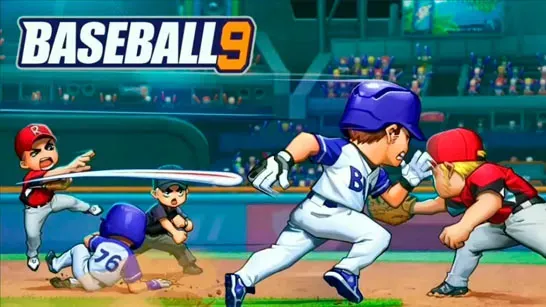
Build and manage a baseball team, time your swings, choose pitches, control runners, and climb from the Bronze League to the World League.
About Baseball 9
Baseball 9 combines baseball gameplay with team management. You recruit athletes, develop their skills, customize uniforms and gear, and guide your club through leagues that grow more difficult over time.
Each play asks for a specific decision. Time a contact or power swing, choose a pitch and its location, decide when runners should advance or steal, and select where to throw the ball in the field. Player progression and roster building matter as stronger opponents and longer seasons appear in later leagues.
How to Play Baseball 9
At bat, watch the incoming pitch and click to swing. Contact hits favor accuracy and consistency, while power swings aim for extra-base hits and home runs. Waiting for pitches inside the strike zone can improve batting consistency, so swinging at every throw is rarely the best choice.
When pitching, mix pitch types and locations to keep batters guessing. Baseball 9 includes fastballs, sliders, change-ups, and forkballs. Fastballs and sliders provide straightforward options when you’re learning the pitching system.
Base runners move automatically after a hit, but you decide when to advance, hold, or attempt a steal. In the field, players automatically catch grounders and fly balls; you choose the target base for throws and can control decisions such as double plays.
Recruit players, spend attribute points carefully, unlock skills, and improve the roster for tougher competition. Pitchers and power hitters can have a strong early impact, while recruited players can be upgraded and developed over time. Saving coins for player development may help more than spending them on cosmetic items.
League progression starts in Bronze and continues through Silver, Master, Champions, Legend, and World. Later leagues bring stronger opponents and longer seasons. Stadium upgrades and appearance customization add further team-management choices, while pinch hitters can help counter difficult pitchers in important situations.
Game Controls
- Click - Swing the bat
- Click the pitch button - Throw the selected pitch
- Click or drag - Choose pitch type, location, and movement
- Click a base or run command - Advance runners, attempt steals, or choose a defensive throw