



Geometry Arrow
Guide a triangle arrow through spike-filled corridors in this reflex-based platformer. Click to change direction and survive!
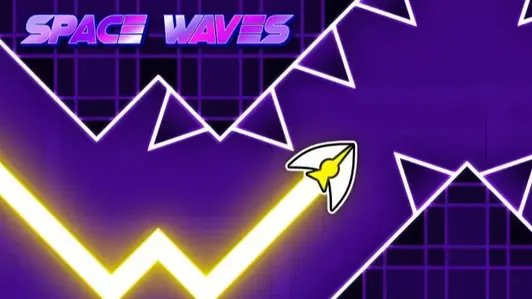
Get ready to test your reflexes in Geometry Arrow, a fast-paced platformer where you guide a triangle arrow through tight corridors filled with spikes and walls. Your arrow moves forward automatically, and all you can do is click to reverse its direction-up when you click, down when you release. Master the rhythm to dodge obstacles and conquer six levels of increasing difficulty.
About Geometry Arrow
Geometry Arrow is a reflex-driven platformer where you guide a triangular arrow through spike-filled corridors. The arrow moves forward automatically; click to make it go up, release to go down. Navigate tight spaces and avoid obstacles to survive. It’s a pure test of timing and precision.
How to Play Geometry Arrow
Your goal is to guide the arrow through each level without hitting any obstacles. The arrow moves forward continuously, and you control its vertical direction by clicking and releasing. Clicking makes the arrow jump upward, releasing lets it fall. You must time your clicks to weave through narrow gaps and avoid spikes. Each level has a fixed layout, so memorizing patterns helps. Colliding with any obstacle resets the level, forcing you to try again.
Tips for Geometry Arrow
- Learn the patterns: Each level is the same every time, so repeat attempts help you memorize obstacle placements.
- Stay calm in fast sections: Later levels speed up, but keeping steady focus helps you maintain control.
- Use quick, small clicks: Short taps are often better than long holds when navigating tight corridors.
- Practice early levels: Returning to beginner stages can improve your reaction time and build consistency.
Game Controls
- Left Mouse Button / Click - Move the arrow upward
- Release Click - Move the arrow downward
- Hold Click - Glide upward along the ceiling
FAQ
How many levels are in Geometry Arrow?
There are six levels, ranging from beginner to demon difficulty.
What happens when I hit an obstacle?
Colliding with any obstacle resets the level, so you must start over.
Is there a way to save progress?
The game does not have a save feature; you must complete each level in one go.
Can I play on mobile?
Yes, the game is compatible with touch devices. Tap to move the arrow up, release to go down.