




Dead Strike
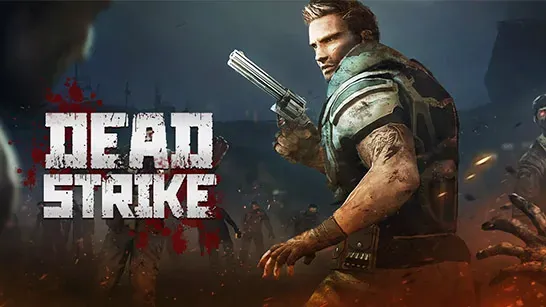
Fight through zombie waves, manage reloads, upgrade weapons, and complete tougher missions in the first-person horror shooter Dead Strike.
Dead Strike drops you into ruined cities where zombie waves attack from every direction. Aim carefully, keep moving, and manage each reload before the next group closes in.
About Dead Strike
Dead Strike is a first-person zombie shooter and survival horror game. You take the role of a sniper sent to a warfare frontier, clear missions, and defend the city from relentless undead attacks.
The missions become harder as zombies grow tougher and arrive in larger waves. Rewards let you improve weapons and ammunition, while bandages give you a way to recover health after a close encounter. Venom zombies and other stronger undead make later upgrades important.
How to Play Dead Strike
Move with WASD or the arrow keys and use the mouse to aim. Focus on the closest zombies first because enemies that reach you can drain health quickly. Keep a safe angle for movement instead of standing still while you fire.
Reload when you have space, not when a zombie is already within reach. Switch weapons when the current option does not fit the threat, throw a grenade into a crowded approach, and use a bandage after you have created enough distance to heal safely.
Complete the current mission to progress through new city locations. Missions reward currency and rank progress, which unlock stronger weapons and lets you improve damage, accuracy, reload speed, and magazine size.
Tips for Dead Strike
Prioritize the nearest threat
Clear zombies that are about to reach you before spending time on distant targets.Reload behind distance
A reload leaves you exposed, so create room or move around cover before starting it.Keep moving during waves
Zombies can approach from several directions, and a changing position makes it harder for the horde to surround you.Upgrade for the next mission
Balance damage with reload speed and magazine size when larger waves start lasting longer.
Game Controls
- WASD or Arrow Keys - Move.
- Mouse - Aim.
- Left Mouse Click - Fire.
- R - Reload.
- Q - Switch weapons.
- G - Throw a grenade.
- F - Use a bandage.
- Tab - Switch direction.
FAQ
What is the goal in Dead Strike?
Complete missions, eliminate the zombie waves, defend the city, and survive increasingly difficult attacks.
How do you upgrade weapons in Dead Strike?
Earn rewards by completing missions, then use them to improve weapons and ammunition or unlock stronger gear.
Why does reload timing matter?
Zombies can arrive from any direction. Reloading when a wave is close leaves you without firepower at the most dangerous moment.
Dead Strike rewards accurate shooting, movement, and preparation. Keep the nearest threat under control, reload with room to spare, and upgrade before the next mission.